 | Free Shipping $60+


Prescription Glasses Online in Canada

Prescription Glasses Online in Canada
Shop affordable prescription glasses online from iLook Glasses, a Canadian-owned eyewear store offering frames for men and women in a wide range of colours, shapes, sizes, and materials.
Browse our collection, use virtual try-on to compare frame styles, and enter your prescription and pupillary distance online when you are ready to order.
How Do I Choose the Right Prescription Glasses?
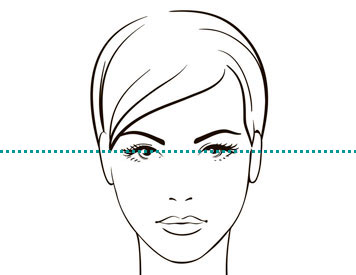
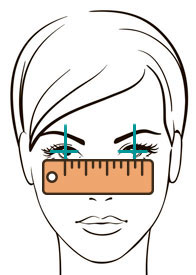
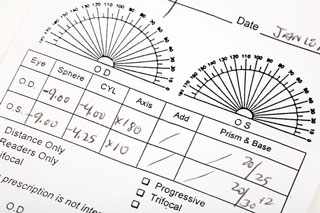
Start with an up-to-date eyeglass prescription and your pupillary distance, commonly called PD. Your prescription helps determine the appropriate lens type, while your PD helps position the optical centre of each lens correctly.
Frame width, lens size, bridge fit, temple length, material, and shape can all affect comfort and appearance. Smaller lens shapes may be suitable for stronger prescriptions, while lightweight materials such as titanium can be comfortable for extended daily wear.
Use our category filters to compare frames by shape, colour, size, fit, and material. You can also browse women’s prescription glasses and men’s prescription glasses .
Try On Glasses Online
When you find a frame you like, use our virtual try-on tool to see how it may look on your face. This can help you compare different frame shapes, sizes, and colours before placing your order.
For help understanding your prescription, visit our guide to reading an eyeglass prescription . You can also review our pupillary distance measurement guide .
How to Order Prescription Glasses Online
- Choose a frame that fits your preferred size and style.
- Select your lens type and available lens upgrades.
- Enter or upload your prescription information.
- Provide your pupillary distance measurement.
- Review your order details before completing checkout.
Where Can I Buy Prescription Glasses in Canada?
iLook Glasses serves customers across Canada, including Toronto, Vancouver, Montreal, Calgary, Ottawa, Edmonton, and communities throughout the country. Customers can browse frames, select lenses, and submit prescription details online from home.
iLook Glasses is Canadian-owned and has more than 20 years of experience in the eyewear industry. We work with established frame suppliers and optical laboratories to offer prescription eyewear at competitive prices.
Before ordering, review our current shipping, return, warranty, and prescription requirements. For assistance, contact our customer-service team through the website.
-

-
-
-
-
 Use My Own
 -
-
-
-








-
-
-
-
-
Use My Own
-
-
-
-